A1ROUTES Blog
A1ROUTES & Livekit SIP Trunk Configuration
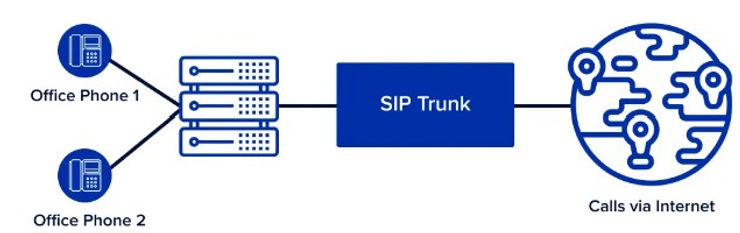
How to Configure Outbound A1ROUTES SIP Trunk on LiveKit
This guide will walk you through configuring an outbound SIP trunk with A1ROUTES on LiveKit, both on your own LiveKit deployment using the CLI and JSON configuration files, and using the LiveKit Cloud UI. It includes important tips on the number format required by A1ROUTES and how to authenticate using the username format username@sip.a1routes.com.
Background
A1ROUTES requires the auth_username in the format of username@sip.a1routes.com for authentication, and expects phone numbers in E164 format without the leading "+" or "00" prefixes. This means that in your SIP trunk JSON config, numbers like 919876543210 should be entered exactly like that — no plus or double zero at the start.
Part 1: Using LiveKit CLI and JSON Files (Own Deployment)
Step 1: Create the Outbound SIP Trunk JSON Config
Create a file called outboundTrunk.json with the following structure. Replace the placeholders with your actual values:
{
  "name": "A1ROUTES Outbound Trunk",
  "address": "sip.a1routes.com",
  "numbers": ["919876543210"],
  "auth_username": "yourusername@sip.a1routes.com",
  "auth_password": "yourpassword"
}
Notes:
address: Use sip.a1routes.com as the SIP server address.
numbers: List your A1ROUTES number(s) in E164 format but without the + or 00 prefix.
auth_username: Must be the username suffixed by @sip.a1routes.com exactly.
auth_password: Your SIP trunk password from A1ROUTES.
You can get username and pass for SIP Trunk from A1ROUTES control panel.
Step 2: Create the Outbound SIP Trunk
Use the LiveKit CLI to create the outbound trunk with the command:
lk sip outbound create outboundTrunk.jsonOn success, LiveKit CLI returns a unique SIPTrunkID. Keep this for making calls.
Step 3: Make an Outbound Call (Test)
Create a JSON file sipParticipant.json for your test call:
{
  "sip_trunk_id": "your-sip-trunk-id",
  "sip_call_to": "919812345678",
  "room_name": "test-room",
  "participant_identity": "sip-test",
  "participant_name": "A1ROUTES Test Call"
}
Note again the called number sip_call_to is also in E164 format without "+" or "00".
Make the test call with:
lk sip participant create sipParticipant.jsonIf successful, the call will be placed through A1ROUTES using your configured SIP trunk.
Part 2: Using LiveKit Cloud UI to Configure Outbound Trunk
Step 1: Log in to LiveKit Cloud
Go to your LiveKit Cloud dashboard and navigate to Telephony → Configuration.
Step 2: Create a New Outbound SIP Trunk
Click Create new → Trunk
Select the JSON editor tab
Paste the following JSON (customize with your details):
{
  "name": "A1ROUTES Outbound Trunk",
  "address": "sip.a1routes.com",
  "numbers": ["919876543210"],
  "auth_username": "yourusername@sip.a1routes.com",
  "auth_password": "yourpassword"
}
Click Create
Step 3: Using the Trunk
Once created, use this trunk ID to make outbound calls or link dispatch rules as needed from the LiveKit Cloud UI or CLI.
Key Points to Remember
Username Format: For A1ROUTES, always use username@sip.a1routes.com in auth_username.
Number Format: Always use E164 number format without the leading "+" or "00" in JSON config for numbers and outgoing call numbers.
Authentication: Ensure your credentials match those provided by A1ROUTES.
Testing: Use the CLI or Cloud UI to test outbound calls to verify configuration.
This post provides a clear and detailed walkthrough for developers and admins seeking to integrate A1ROUTES SIP trunks with LiveKit, both on private deployments and LiveKit Cloud.
If you need a sample repository or further help automating this configuration, please reach out!
Some references
https://docs.livekit.io/sip/quickstarts/configuring-sip-trunk/
https://docs.livekit.io/sip/trunk-inbound/
https://github.com/livekit/sip
https://developers.telnyx.com/docs/voice/sip-trunking/livekit-configuration-guide
https://docs.livekit.io/sip/api/
https://docs.livekit.io/sip/cloud
https://github.com/livekit-examples/livekit-sip-agent-example
https://docs.livekit.io/sip/making-calls/
https://docs.livekit.io/sip/
https://docs.livekit.io/agents/v0/quickstarts/outbound-calls/
https://github.com/livekit/livekit-cli
https://github.com/livekit-examples/livekit-sip-example
https://www.tek-tips.com/index.php?threads%2Fsip-trunk-e164-notation-when-forwarding.1804753%2F
https://docs.livekit.io/agents/v0/quickstarts/inbound-calls/
https://docs.livekit.io/home/cli/cli-setup/